Objectif : Créer une part qui tue le joueur lorsqu’il la touche.
Instructions :
- Créer un part rouge : Ajoutez un part, colorez-le en rouge et utilisez le matériau « Néon ».
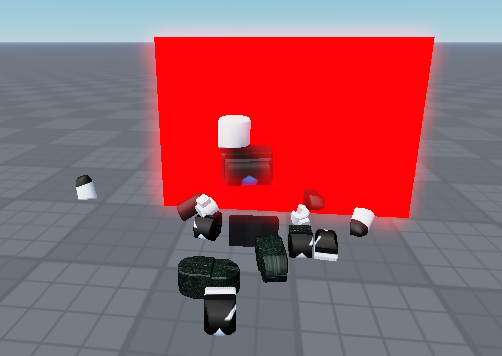
- Ajouter un script : Créez un script dans le part.
- Script de mort : Lorsque le joueur touche le part, il meurt.
- Indices :
- Utilisez
[Nom du part].Touched:Connect(function(player)pour détecter le contact. - Utilisez
character = player.Parentpour obtenir le personnage du joueur. - Utilisez
humanoid = character and character:FindFirstChild("Humanoid")pour obtenir l’objet Humanoid du joueur. - Tuer le joueur : humanoid.Health = 0
- Utilisez
- Indices :
Santé du joueur à 100 au départ du jeu :
print(humanoid.Health)
Réduire la santé du joueur :
humanoid.Health = humanoid.Health – 5
ou
humanoid:TakeDamage((5))
Le joueur meurt quand sa santé est à zéro :
humanoid.Health = 0
Un exemple de code avec une mort rapide :
local deadlyPart = script.Parent

deadlyPart.Touched:Connect(function(player)
	local character = player.Parent
	local humanoid = character and character:FindFirstChild("Humanoid")
	if humanoid then
		humanoid.Health = humanoid.Health - 5
	end
end)
Un exemple de code avec une mort lente :
local deadlyPart = script.Parent
local startTime = 0


deadlyPart.Touched:Connect(function(player)
	local character = player.Parent
	local humanoid = character and character:FindFirstChild("Humanoid")
	if humanoid then
		if startTime > 0 and (tick() - startTime) > 0.2 then
			startTime = 0
		end
		if startTime == 0 then
			print(humanoid.Health)
			humanoid.Health = humanoid.Health - 5
			startTime = tick()
		end
	end
end)